


Repaint House Paint Visualizer
4.438.00 Reviews
App Specs
- Version
- 1.0.13
- Updated On
- License
- Free
- Downloads
- 10,000+
- Developer
- HPAI Labs, LLC
- Categories
- House & Home
- Platform
- Android
Screenshots
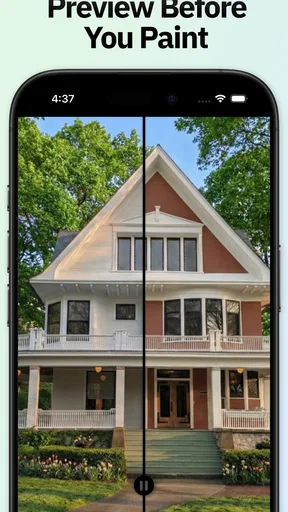
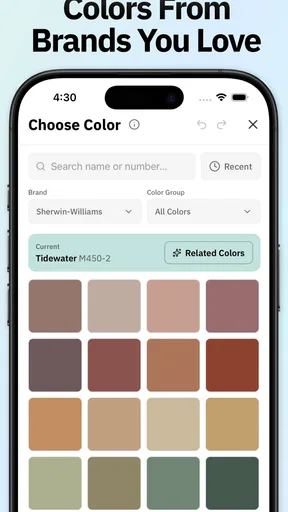
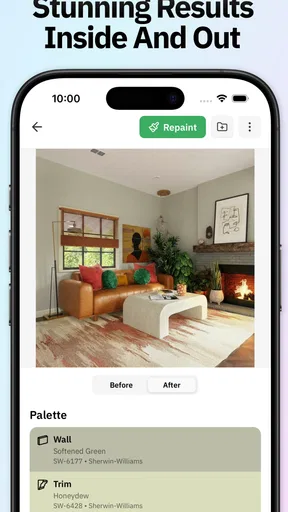
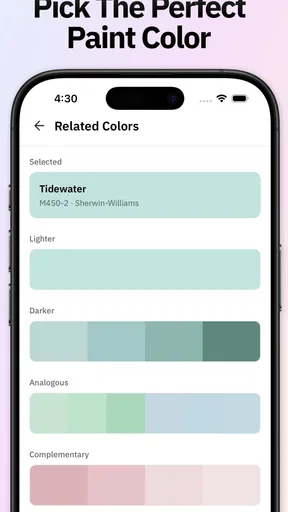
 Analysis by AppCompare
Choosing paint is one of those jobs that looks simple until you have to commit to a whole room or exterior. I like the idea of checking a color against my own home before buying paint, but I also treat any on-screen preview as a planning aid rather than a promise of the finished result. Repaint House Paint Visualizer is a free house-and-home app from Housepaint AI, and its focus is trying colors on home surfaces. Its average rating is 4.5 from around 200 ratings, with over 10,000 installs. That gives me a little context about its audience, but the more important question is whether its visual choices help me make a better decision.
What a color preview can—and cannot—settle
When I’m choosing between shades, the most useful outcome is not an instant answer but a shorter shortlist. A visualizer can help me see whether a warm neutral feels too yellow beside my flooring, or whether a darker accent makes a small room feel heavier than I want. That is a practical first step before I bring home samples or ask a painter for an estimate.
I would not use a phone image as the final authority on color. A screen’s brightness and color settings affect what I see, while a painted surface changes appearance with daylight, lamps, texture, and nearby furnishings. The app is most valuable when I use it to compare broad directions—warm versus cool, pale versus deep—then check finalists with real paint samples in the room.
Transform Your Space Virtually
Imagine being able to repaint your entire house with just a few taps on your phone. Sounds like a dream, right? Repaint House Paint Visualizer offers precisely this by letting you experiment with different color palettes on your walls, all from the comfort of your couch. The app uses augmented reality to overlay colors on your walls in real-time, and I must say, it’s pretty darn accurate.
A Handy Color Library
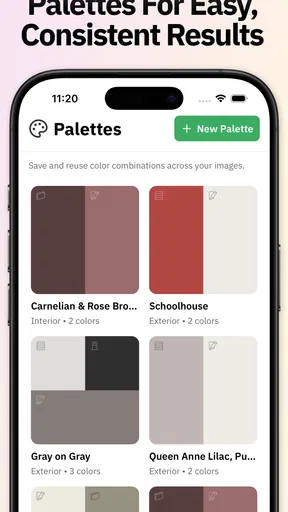
The color library within the app is nothing short of impressive. You can choose from an extensive range of hues and shades, which makes it easy to find the perfect color for your space. Whether you’re into calming pastels or bold and bright tones, this app has you covered. The best part? You can save your favorite colors for future reference, which is super handy when you’re out shopping for paint.
That saved shortlist is especially useful if I’m comparing several rooms or discussing options with someone who shares the space. I would keep notes alongside the saved choices—such as “north-facing bedroom” or “trim stays white”—so I remember why a shade looked promising. A color that works on one wall may not suit a larger, brighter surface, and a shortlist makes it easier to revisit options without starting over.
User-Friendly Interface
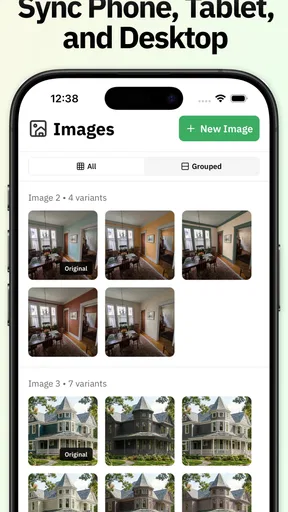
Navigating through the app is a breeze. The interface is intuitive, with all the features neatly organized. Even if you’re not tech-savvy, you’ll find it easy to upload a photo of your room and start experimenting. The app guides you through the process, ensuring that you don’t miss any steps, and within minutes, you’ll have a virtual makeover of your room.
Worth Reading Before You Choose

Flipboard Shows What News Apps Must Do Beyond the Feed

Switching to Android Auto Means Rethinking Your Driving Routine

Google Calendar Makes a Crowded Week Easier to Manage

Ludo King Makes the Most of the Minutes Between Plans

Baby Panda World Brings Quick Play to Modern Phones, but Its Game Library Feels Busy

ESPN’s Live Game View Makes Following Close Games Easier
A useful way to get more from a room photo is to take it from a position that shows the main wall and the objects that affect the decision: flooring, a window, cabinetry, or a large sofa. I would avoid judging a color from a tightly cropped shot, because it removes the surrounding tones that make a paint choice feel right or wrong. If the first preview looks odd around furniture edges or corners, I’d retake the photo before assuming the color itself is the problem.
Real-Time Visualization
One of the standout features is the real-time visualization. You can move around your room and see how different colors look from various angles. This dynamic feature is particularly useful because lighting can significantly affect how a color appears. Seeing it in different lights and times of day helps in making a well-informed decision.
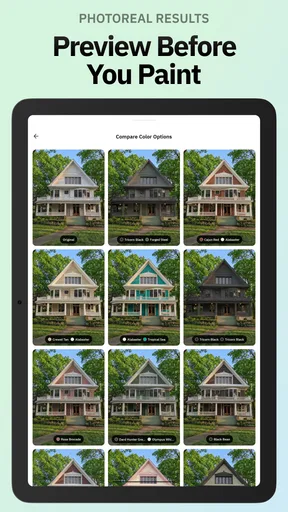
For a realistic everyday test, I’d try the same candidate in the morning and again after the room’s usual evening lights are on. If I’m repainting an exterior, I’d also look at the house in context rather than focusing only on one patch: roof, trim, neighboring surfaces, and the amount of shade all influence how a color reads. A preview can help me notice clashes early, but it cannot recreate every real-world lighting condition or the texture of actual paint.
Share and Seek Opinions
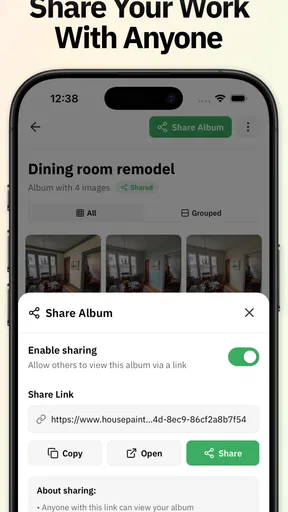
Once you’ve found a color (or two) that you love, sharing your new look is just a tap away. The app allows you to share images directly with friends and family through social media or messaging apps. It’s perfect for gathering opinions or simply showing off your future wall art. After all, who doesn’t love a little crowd-sourced decorating advice?
I’d ask people a focused question rather than “Which one is best?” For example, I might ask whether a shade makes the room feel calmer or whether it competes with the wood floor. That tends to produce useful feedback instead of a vote based purely on personal taste. I’d also remember that a shared preview is an image, not a sample of the final paint, so I would make the final call in the space itself.
Practical Tips and Advice
Beyond just painting, the app also offers practical tips and advice on color schemes and combinations. It’s like having a personal interior designer in your pocket. The suggestions are insightful and help in understanding how different colors can influence the mood and perception of space.
The app’s House & Home focus makes it a natural fit for people who are early in a repainting project and want to explore possibilities before spending time at a paint counter. It is less suited to someone who already needs exact specifications for a contractor, a dependable match to a particular physical swatch, or a full renovation plan. In those cases, I’d use a sample board and advice from a paint professional; this visualizer is better for narrowing the conversation than replacing it.
Trust, privacy, and the choices I can make
Because trying colors can involve photographing a private room or the front of a home, I would pause before choosing an image to work with. I’d frame the shot around the surface I want to assess and leave out personal items, family photos, or anything I would not want included in an image I might share. That is a simple way to keep the exercise focused and limit unnecessary exposure.
I also would not assume that a preview image is private just because I created it for myself, or that sharing works in a particular way beyond the options I can see when I use the app. Before sharing, I’d check the destination and the image itself. If I’m not comfortable sending a room photo through a social or messaging service, I can keep the decision process offline by using the preview only as a personal reference and comparing the final choices with physical samples.
For anyone who wants to check the app’s access and account choices, I’d look at the permission prompts and the settings presented on the device before proceeding. I would grant only access that makes sense for the task I’m doing at that moment, and reconsider any choice I no longer need through the controls available on my phone. I don’t treat a paint preview as a reason to grant unrelated access; my comfort with the visible choices is part of whether the app fits my workflow.
Cost, fit, and the better alternative for some projects
The app is free to install, is rated for Everyone, and its current version is 1.0.13; it was released on December 23, 2025, and requires Android 7.0 or later. In-app purchases are listed from $9.99 to $39.99 per item, so I’d check what is included and whether a paid option is relevant before buying anything. A free starting point is appealing for a one-room experiment, but I wouldn’t pay until I knew the available choices matched my project.
Compared with browsing paint chips or using a brand’s own color tools, a photo-based visualizer is more convenient for seeing an idea against my actual room. Physical swatches remain better for judging undertones and finish, while a professional’s guidance is more useful for complicated exterior decisions or coordinating several materials. I see this app as a bridge between inspiration and those more reliable checks, not a replacement for them.
It should suit renters planning a conversation with a landlord, homeowners deciding between a few wall colors, or anyone who wants a visual starting point before buying sample pots. I’d skip it if I need exact color matching, dependable measurements, or a guarantee that the displayed shade will reproduce identically on a painted wall. Those are different jobs, and a phone preview cannot settle them on its own.
Overall, Repaint House Paint Visualizer is a nifty tool for anyone looking to refresh their living space. It combines innovation with practicality, making the daunting task of choosing paint colors much more enjoyable. Plus, it saves you from the hassle of regretting a paint job gone wrong!
So next time you find yourself staring at a wall, contemplating its hue, remember there’s an app for that. Grab your phone, download the app, and let your inner designer run wild!
My cautious verdict is that it can make the first stage of choosing paint easier, especially when I want to compare several ideas in the context of my own home. I’d use it to form a shortlist, take care with the photos and sharing choices, then verify finalists with real samples under the light where they’ll live. If you approach it with that boundary in mind, it is a practical place to start—not the last word on what your walls should look like.
Pros
- Easy-to-use interface for quick navigation.
- Wide variety of color options available.
- Real-time AR visualization of paint choices.
- Saves multiple projects for future reference.
- Allows sharing designs directly from the app.
Cons
- Limited free features; premium options costly.
- Requires a stable internet connection.
- Occasional glitches with AR rendering.
- High battery consumption during use.
- Color accuracy may vary on different screens.
FAQs for Repaint House Paint Visualizer
What is Repaint House Paint Visualizer and how does it work?
Repaint House Paint Visualizer is an innovative app designed to help users visualize different paint colors on their home's interior and exterior surfaces. By using augmented reality technology, the app allows you to see how various shades and finishes will look in real-time on your walls, making the decision-making process more interactive and informed.
Is Repaint House Paint Visualizer available on both Android and iOS platforms?
Yes, Repaint House Paint Visualizer is available for download on both Android and iOS devices. You can find it on the Google Play Store for Android users and the Apple App Store for iOS users. Ensure your device meets the app's system requirements for optimal performance.
Does Repaint House Paint Visualizer require an internet connection to function?
While Repaint House Paint Visualizer can be used offline for basic features, an internet connection is recommended to access the full range of functionalities, including downloading additional color palettes and receiving updates. The augmented reality features might also perform better when connected to the internet.
Are there any costs associated with using Repaint House Paint Visualizer?
Repaint House Paint Visualizer offers a free version with basic features. However, to unlock premium functionalities such as exclusive color palettes and advanced visualization tools, users may need to purchase a subscription or make in-app purchases. Check the app's description on the store for detailed pricing information.
How accurate are the color visualizations in Repaint House Paint Visualizer?
The app strives for high accuracy in color representation by using advanced augmented reality technology and a comprehensive color database. However, variations may occur due to lighting conditions and screen settings on your device. It's advisable to test physical paint samples before making final decisions.


